
For Afirmo to access your Xero account to extract reports to load opening balances into Afirmo please follow these steps in your Xero account.
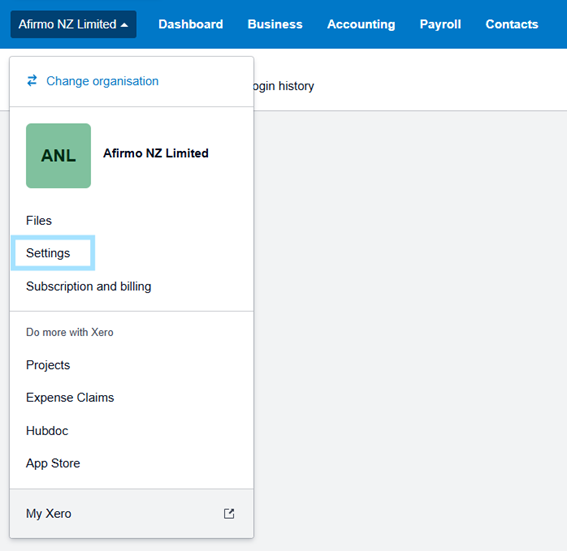
Step One: Click on your business name and click Settings.
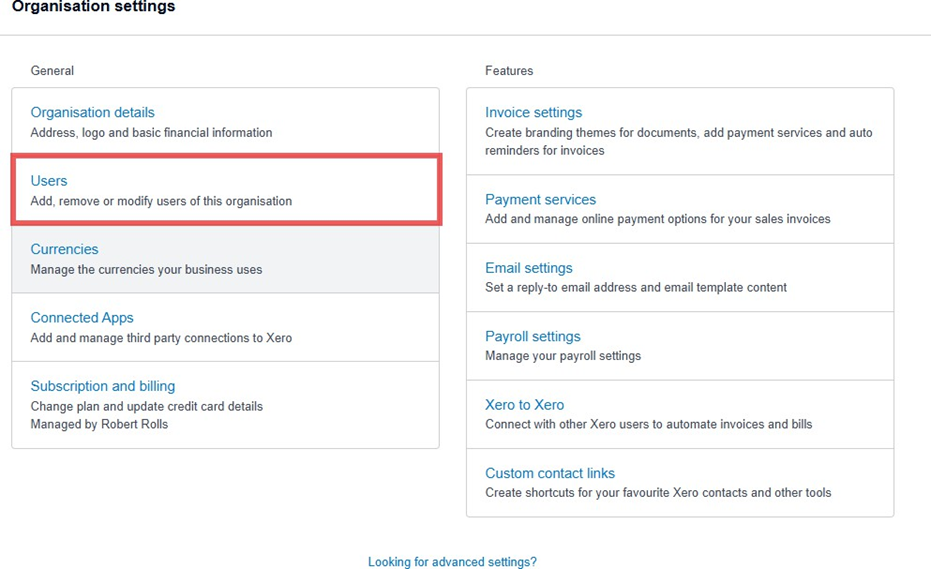
Step two: Click on Users.
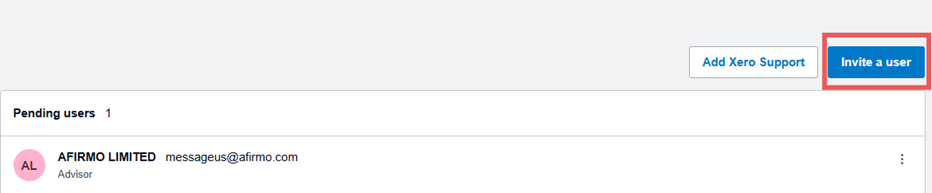
Step Three: Click on Invite a User.
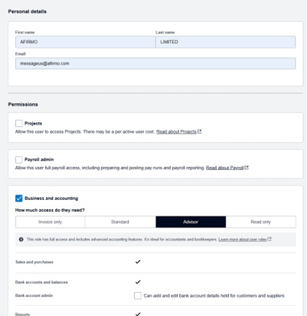
Step Four: Add the following details. Click on Business and Accounting and Advisor.
Step Five: Press Send Invite.
Afirmo will then accept the invitation and will be able to log into the Xero account and extract the required reports and enter them into Afirmo.