How do I register for a NZBN?
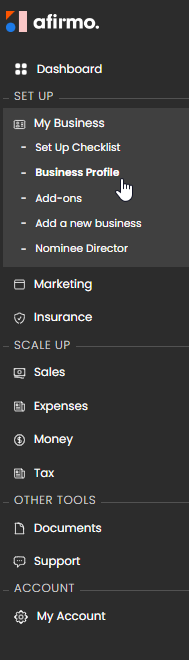
On the Main menu, click on the My Business and then select Business Profile

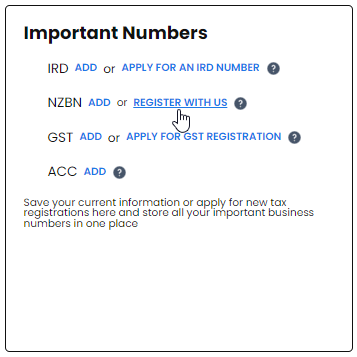
Scroll down to the Important Numbers tiles and click on REGISTER WITH US

Click on Let's start

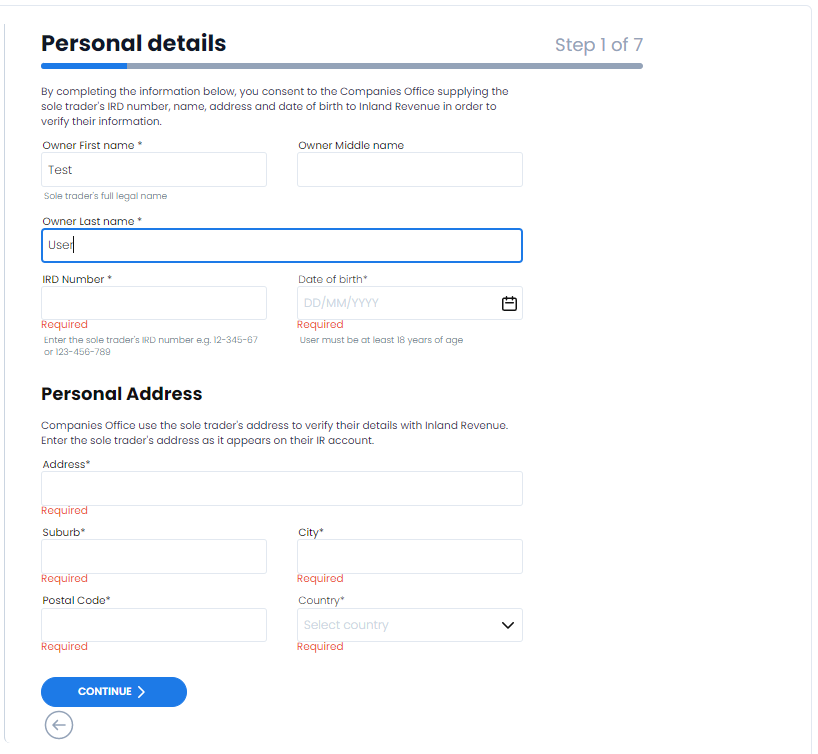
Step 1 of 7. Fill in personal details and click CONTINUE

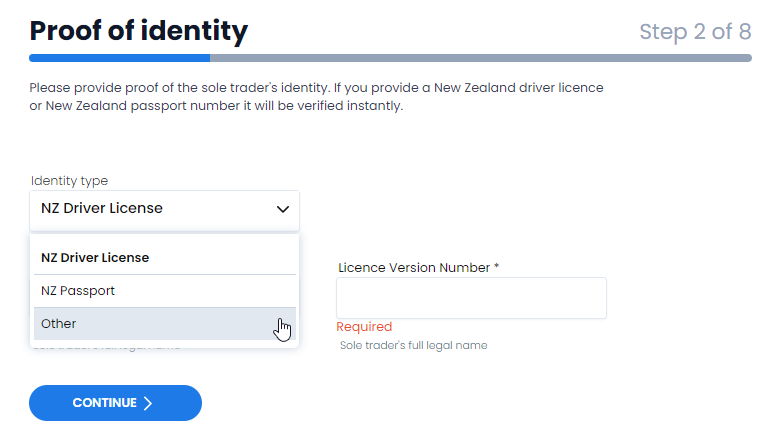
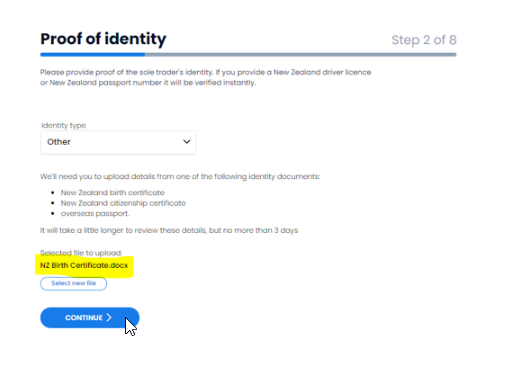
Step 2 of 7. Select your proof of Identity. If you don't have a New Zealand passport or licence click on other

You will need to upload one of the following:
- New Zealand birth certificate
- New Zealand citizenship certificate
- Overseas passport
NB It will take a little longer to review these details, but no more than 3 days
You can drag & drop a file or click on choose file

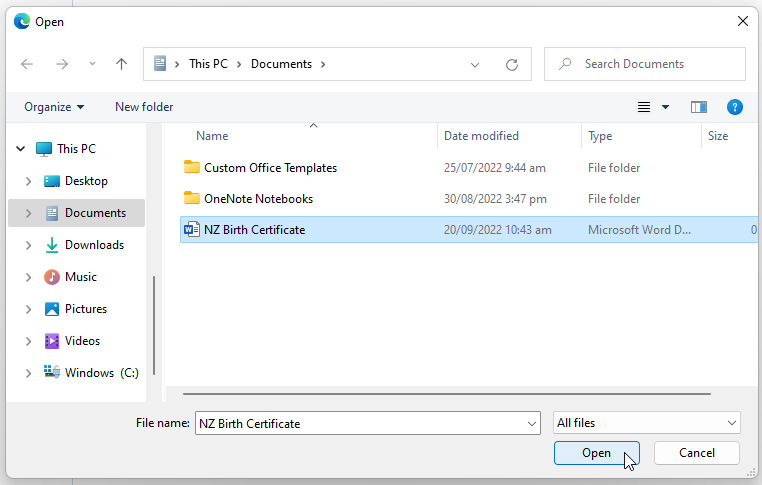
Choose the file you are wanting to download and click on open

The file is now uploaded. Click on CONTINUE

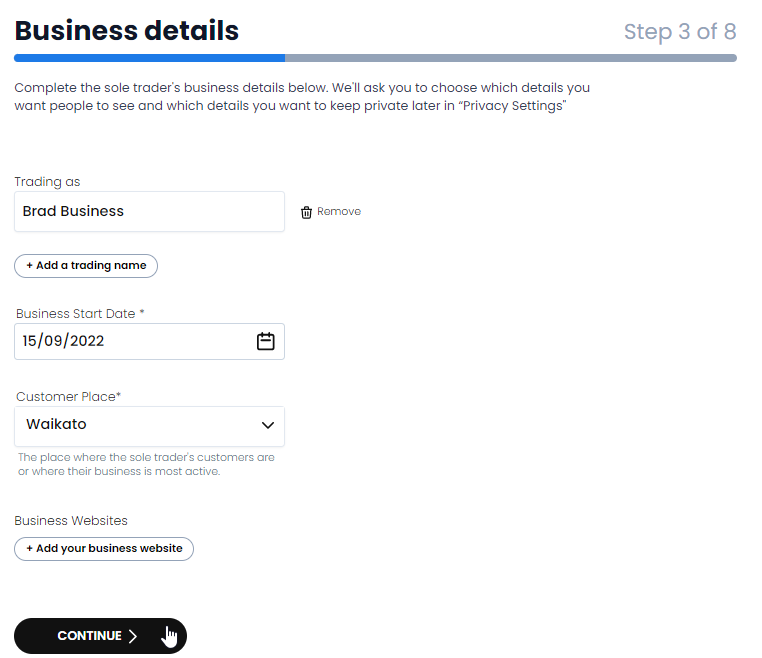
Step 3 of 8. Fill in business details and click CONTINUE

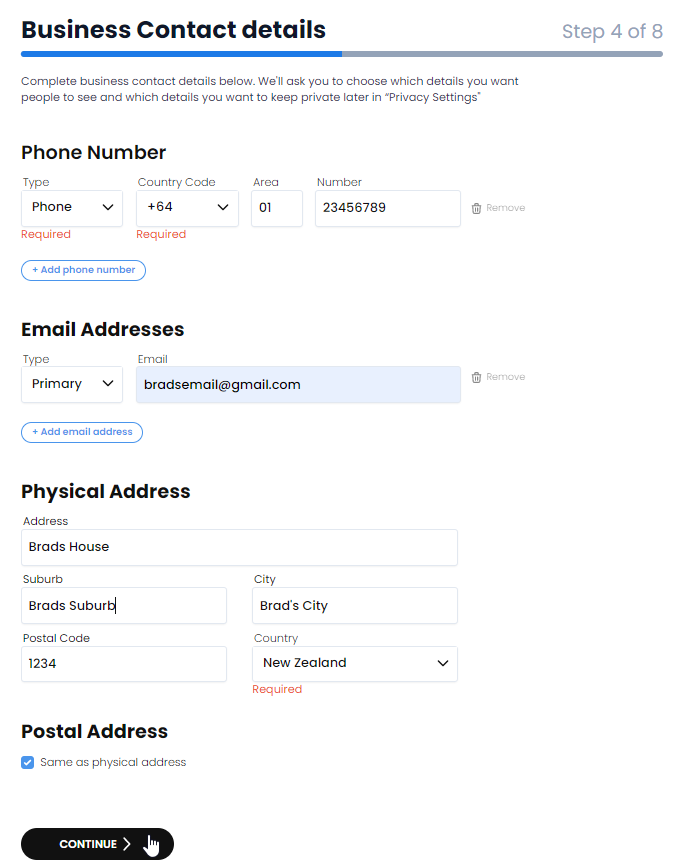
Step 4 of 8. Fill in business contact details and click CONTINUE

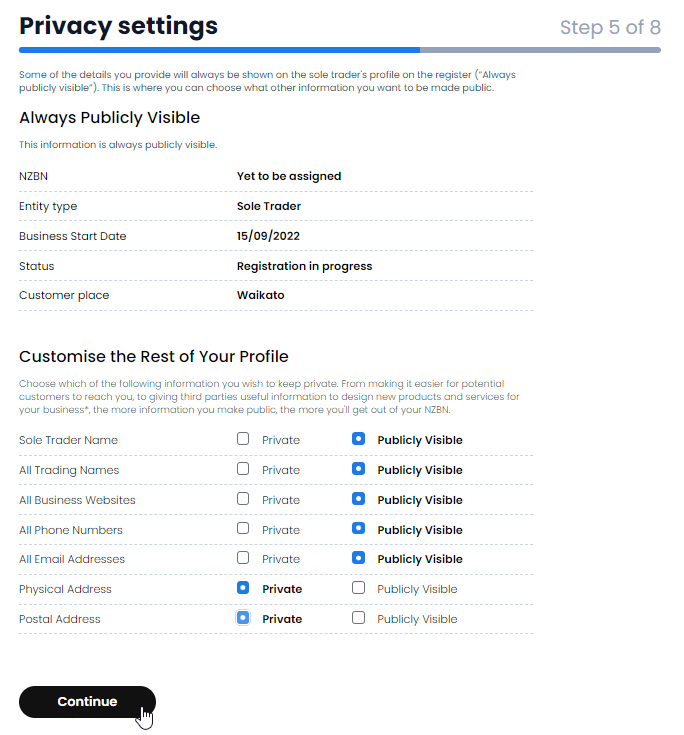
Step 5 of 8. Fill in Privacy settings and click CONTINUE

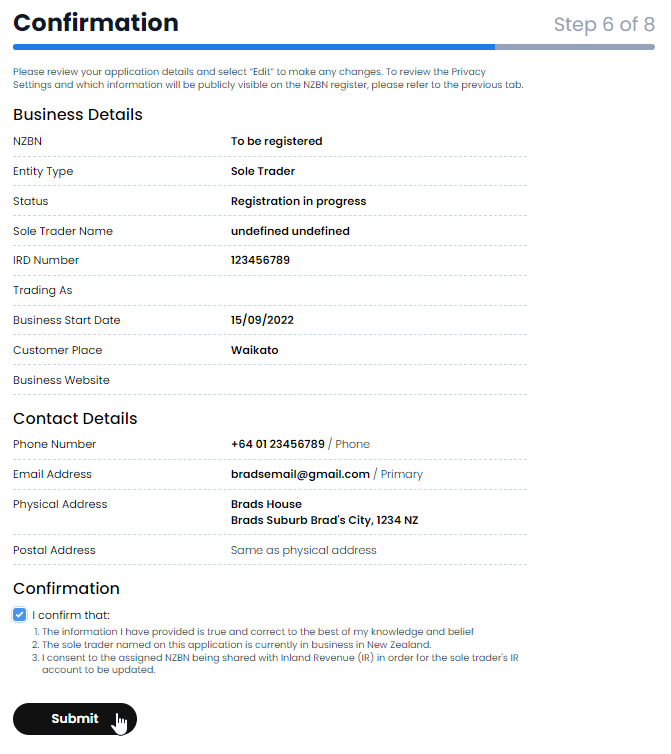
Check your business information and personal information and click on the confirmation button and then click on Submit 
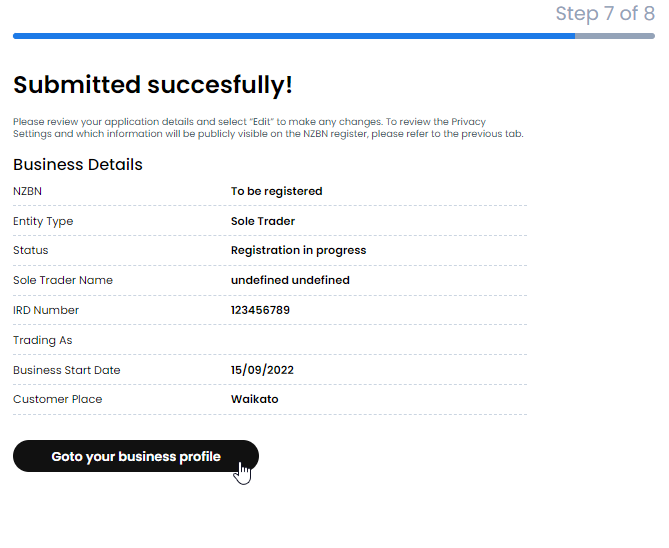
You NZBN registration has been submitted