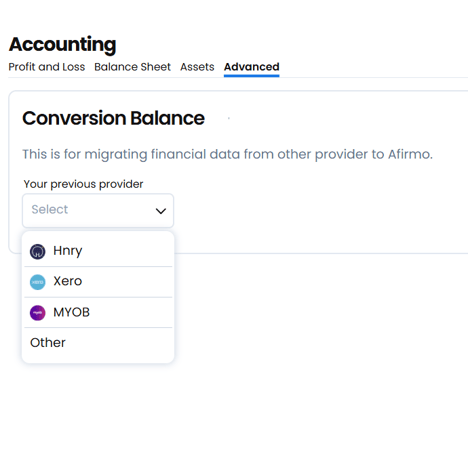
Completing the migration balance process yourself
Entering a conversion balance into accounting software typically refers to recording the initial balance of an account when transitioning to a new accounting system or adjusting the opening balances of certain accounts for a new period or financial year. This is an important step when implementing new software or migrating data from one system to another.

You can find the Afrimo Conversion Balance in the app here
Here’s an outline of the general process for entering a conversion balance:
1. Gather Required Information:
- Opening Balances: Collect the most recent financial statements or balance sheet from your previous system or the last period’s closing.
- Account Information: Identify the accounts that need to be updated, such as assets, liabilities, equity, revenue, expenses, etc. These accounts should reflect the final balances as of the conversion date (usually the start of the new period).
- Supporting Documents: Have supporting documents like bank statements, trial balances, and accounting records available to verify the data.
- Determine the conversion date, which is typically the start of a new accounting period or when transitioning to the new software. This date will be the point at which your opening balances are recorded.
- Ensure that the chart of accounts in the new accounting system mirrors the one from your previous system, or make any necessary adjustments. This will ensure the balances are entered into the correct accounts in the new system.
- In most accounting software, there will be a feature to enter opening balances or a conversion balance journal entry. This step is done by manually entering the balances for each relevant account as of the conversion date.
- For asset accounts (e.g., cash, accounts receivable), input their balances.
- For liability accounts (e.g., accounts payable, loans), input their balances.
- For equity accounts (e.g., retained earnings), input their balances.
- Ensure to include both debits and credits to keep the accounting equation balanced.
- Some systems require entering a journal entry to reflect the conversion balances.
- Debit and credit the appropriate accounts to match the opening balances.
- For example, if you’re migrating balances from a previous system, you might have to debit an asset account (like Cash) and credit an equity account (like Retained Earnings) for the initial transition.
- Depending on the software, this could also be done automatically if the system supports importing conversion balances from other sources.
- After entering the balances, verify that the total debits equal the total credits. This ensures the books are balanced.
- Reconcile any bank accounts, accounts payable, or accounts receivable to confirm accuracy.
- You may need to make adjustments for certain accounts, such as:
- Depreciation on assets.
- Amortization of intangible assets.
- Accruals or prepaid expenses.
- Any foreign currency adjustments or intercompany eliminations if applicable.
- After entering the opening balances, generate a trial balance to ensure all entries are accurate. The trial balance should match the total balances from your previous system as of the conversion date.
- Ensure that your accounting software is now correctly set up to handle transactions moving forward.
- If the software has a period close or finalization process for the conversion period, make sure to complete it so the system is ready for ongoing transactions.
- Backup the data to avoid data loss.
- Double-check your conversion entries to ensure everything is correctly recorded before moving forward with day-to-day transactions.