An income-tax balance date is the last day of the taxpayer's accounting year. Inland Revenue assigns 31 March as the standard balance date when a business applies for an IRD number. Some businesses have an approved non-standard balance date.
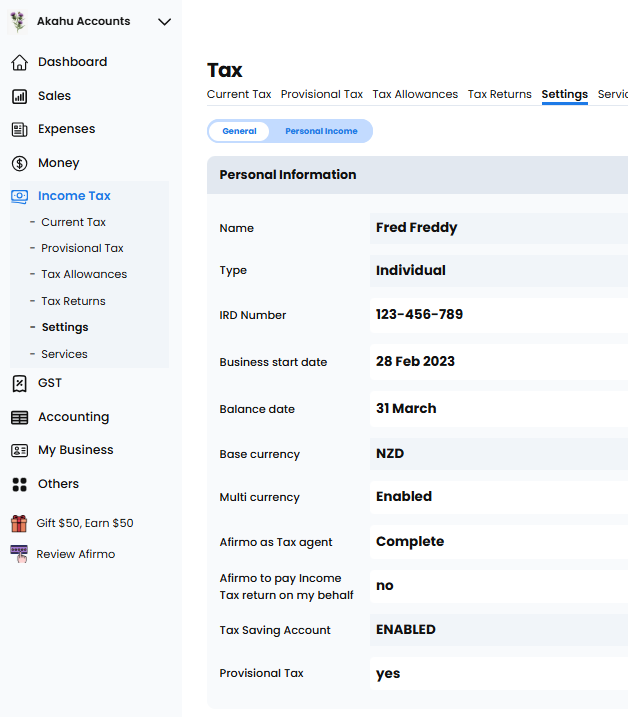
Check the balance date in Afirmo
Go to Income Tax > Settings and find Balance date.
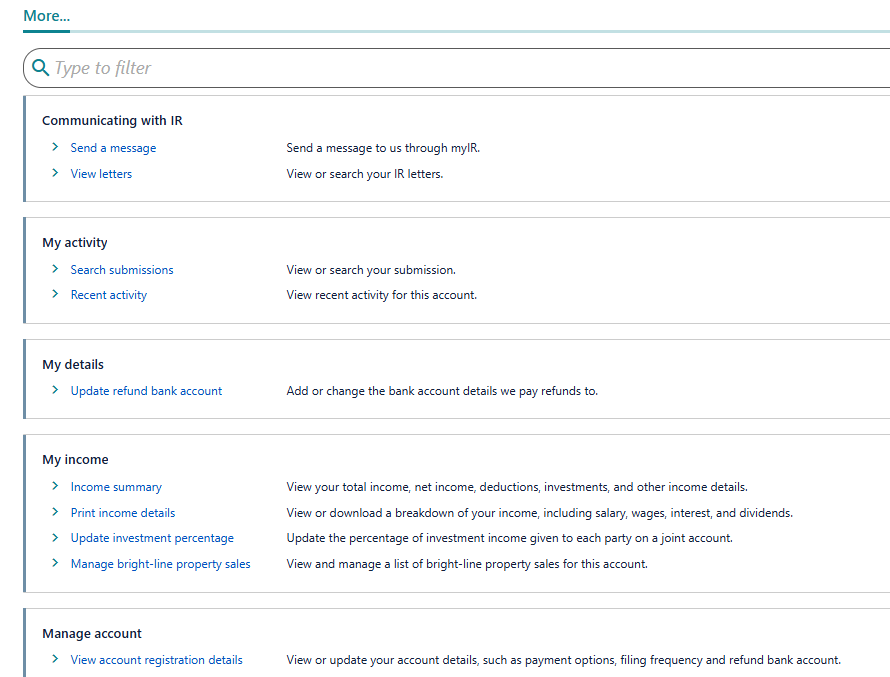
Check the balance date in myIR
1. Open the taxpayer's Income Tax account.
2. Select More.
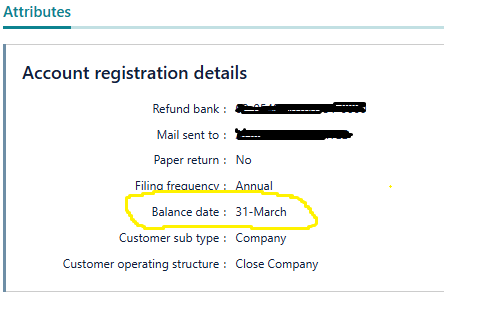
3. Under Manage account, select View account registration details.
4. Find Balance date.
Set Afirmo to the date recorded by Inland Revenue. Do not change it merely to alter a dashboard period. If Afirmo and myIR disagree, contact the Afirmo tax team before changing or filing anything.